Follow one message through Layergram
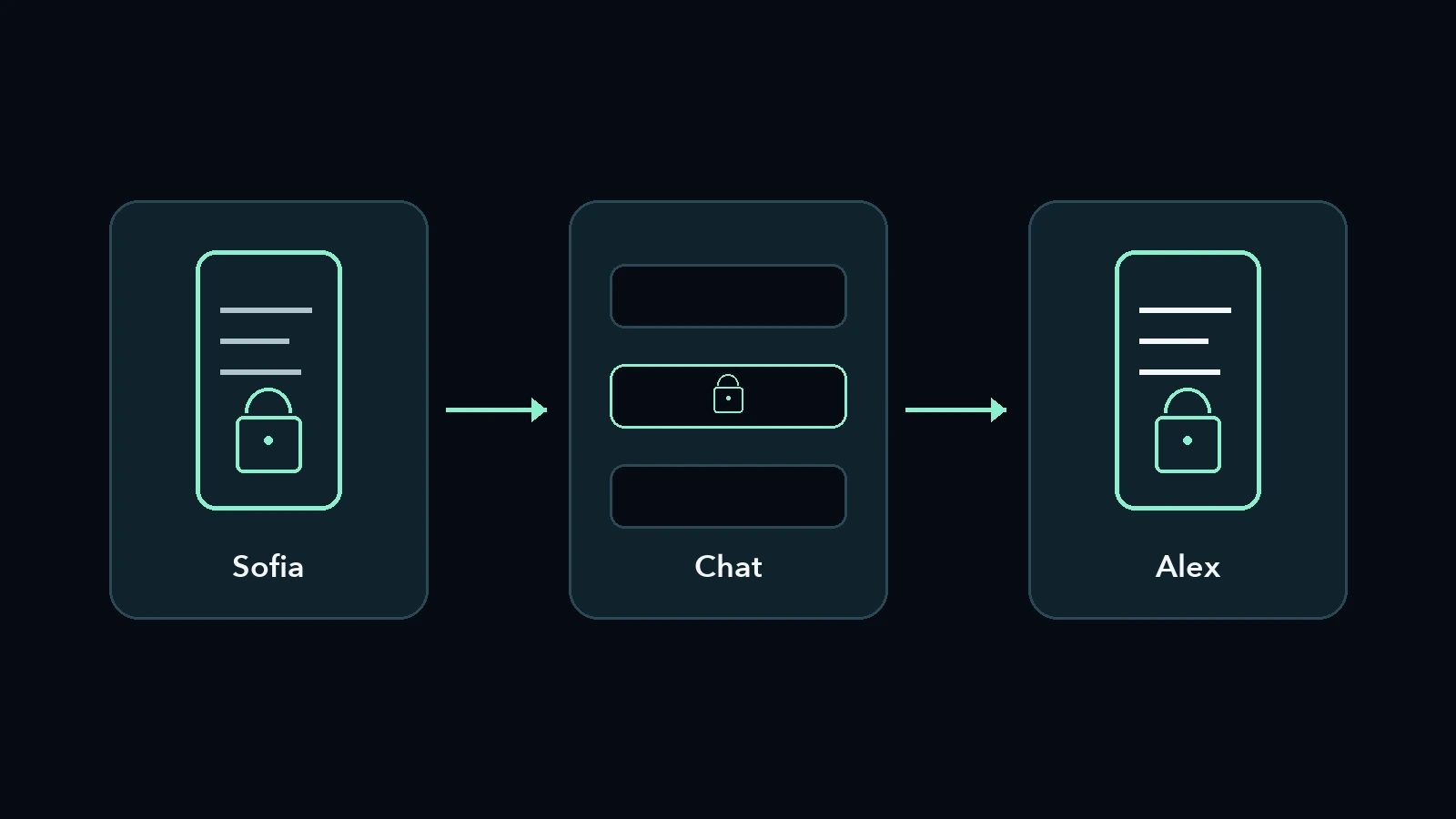
With Layergram, a message is encrypted on the sender’s device, travels through a chat in its protected form, and becomes readable again on the recipient’s device. Let’s follow that journey with an example to understand what passes from one app to another—and why the exchange starts with verifying identities.
Before the message, the two people
Before exchanging a protected message, both people create a Layergram identity on their own device and verify each other’s identity. A public link or QR code lets them introduce themselves. The 24-word recovery phrase, on the other hand, allows someone to recover the identity and must stay secret.
Imagine Sofia and Alex want to try it. They are fictional characters, and our example contains nothing confidential: “This is our test message.”
Sofia sends Alex her Layergram contact, and Alex does the same. Each imports the identity they receive. They then compare the verification numbers and emoji, in person or over a call they already trust. The name on the screen may be familiar, but this comparison is what connects the imported contact to the person they want to speak to.
The 24 words are not part of the exchange. Anyone who obtains them can recover the identity and impersonate its owner: Alex only needs Sofia’s public details to add her as a contact. The Layergram getting-started guide explains identity creation, keeping the recovery phrase safe, and mutual verification.
Where is the text encrypted?
The message is encrypted on Sofia’s device, inside Layergram, before the messaging app receives it. Sofia selects Alex’s verified contact and writes the test message there. What she hands over to the chat is the protected result, keeping the composition of the secret separate from the channel carrying it.
This step changes what reaches the other app. If Sofia first wrote the secret in the chat’s text field and only encrypted it afterwards, that text would already have passed through an environment she did not want to entrust it to. In our example, she writes directly in Layergram.
Encryption is tied to the chosen recipient. Before sharing, Sofia therefore checks that the open conversation is really Alex’s. Layergram does not decide who she intends to write to.
The main journey described here uses the app. Where available in the installed version, the Layergram system keyboard provides another option: it lets you compose in its editor and inserts the encrypted result into the chat field. Sending remains an action performed by the messaging app; the keyboard does not automatically send the message.
What reaches the chat?
The chat receives whichever protected form Sofia chooses to share: encrypted text, a link, or a cover message containing the encrypted data. The secret has already been encrypted. These forms change how the message looks in the conversation, while reading the protected content requires the correct recipient’s Layergram identity.
For this test, Sofia chooses encrypted text. She copies it into her chat with Alex, or uses the sharing options supported by her device, and sends it. The messaging platform does what it normally does: it transports the message. Layergram does not introduce its own delivery server.
If Sofia had chosen a cover, the conversation would show a readable sentence different from the secret. Covers are prepared in the app; the system keyboard currently offers encrypted text. A cover can make the hidden content less obvious to someone looking at the chat, without guaranteeing invisibility under technical analysis. A link, by contrast, makes the reference to Layergram recognisable. The How it works page explains these distinctions.
A chat notification preview also starts from what the chat received: the protected result or cover, not the original sentence composed only in Layergram. This benefit depends on keeping the secret out of the chat after reading it, too.
How does the recipient read it?
Alex brings the protected message into Layergram, copying it in full from the chat or sharing it with the app where the system allows. Layergram recognises the content and decrypts it on his device. Alex can then read Sofia’s sentence in the Layergram conversation without pasting it in plain text into the external chat.
The message has crossed two environments with different jobs. The chat carried protected content; in Layergram, Alex finds the words Sofia wrote. The Technology and security page describes this local architecture: identities, encryption, decryption and history stay on the device.
The complete journey looks like this:
| Stage | Where the message is | Its form |
|---|---|---|
| Sofia writes it | In the Layergram app | Readable text in the editor |
| Sofia shares it | In the chat chosen for transport | Encrypted result, possibly within a cover or link |
| Alex opens it | In Layergram on his own device | Content decrypted for his identity |
When Alex replies, he follows the same route in reverse. He does not need to put the text he has just read back into the external chat.
Does the content remain after reading?
Decrypted messages can remain in Layergram’s local history. Before sending, you can also choose the single-read or expiry options available in the app. These controls limit the content’s availability in Layergram; they do not recall a photograph of the screen or delete copies someone has already made elsewhere.
This is where both people’s habits matter. Biometric locking can protect access to the app, and screen protection, when enabled, uses the defences available on the device. The Layergram FAQ explains that Android can block screenshots more directly, while other systems have different capabilities and limits. An external camera remains beyond these defences.
The conversation’s context also remains: the transport platform may retain information about participants, times and exchanges. Separately encrypting the content does not make that information disappear, nor does it make an already compromised device safe. In Private messages: who are you protecting them from?, we explored how to choose protections for a specific situation.
Try it with a harmless message
To get familiar with the journey, all you need is a sentence without personal information and someone to try it with. After exchanging and verifying identities, you can observe what appears in the chat and what becomes readable in Layergram. That makes each step clear before you entrust it with confidential content.
Sofia and Alex used an ordinary sentence for exactly this reason: to understand how it works without putting real confidential information to the test. To repeat the experience on your device, the illustrated guide to your first protected message takes you from the initial exchange through to reading. Layergram’s essential protection is free; you can start with a single conversation.